
Inverter Monitor
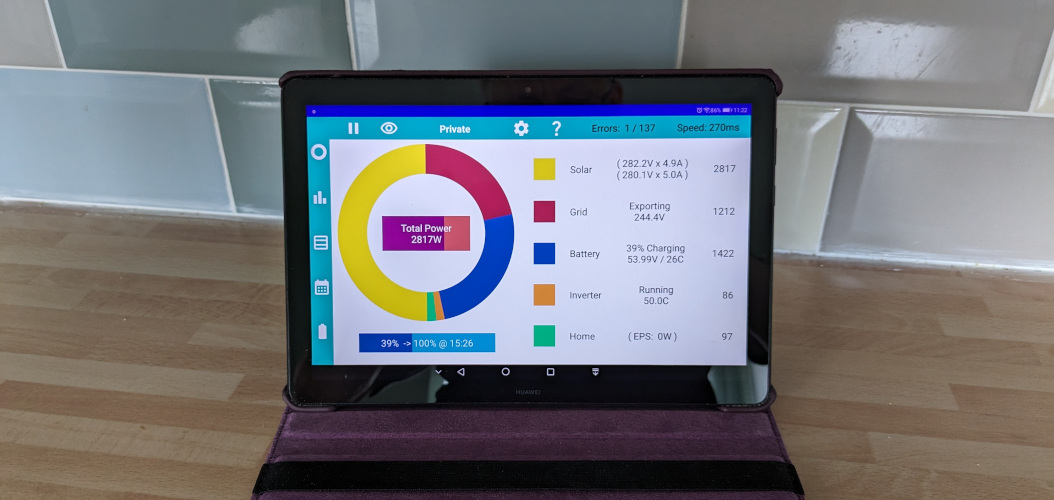
I never refer to this app as a mobile phone app. Yes, technically it can be used on a mobile phone, but that is not the intended use. Think of it more like a central heating thermostat. Something fixed that runs constantly, monitoring 24 hours a day.
Unfortunately, Apple don't allow apps to run constantly on iPhones or iPads. They consider it bad practice as it slows the device down and drains the battery. Apple recommend using a server, either in the cloud or a small local computer such as a Raspberry Pi. There is already a cloud offering from GivEnergy, and the popular Home Assistant software already runs on a small server. But these options have cost or complexity.
Android was chosen for being abundantly available, reasonably affordable, and relatively low power. Google did in fact question the need to run constantly. Because you have full control via the Collect Stats setting and by default the app does not run constantly, it was accepted. This app only runs constantly if you choose to set it to do so (and you probably should).
In my opinion, rather than an app, it would have been better if GivEnergy had built a dedicated screen for their systems. Either built directly into the front of the Inverter Unit, or as a separate display linked by a cable or wireless link. I guess a screen was omitted to reduce the initial cost, but by doing so they made it reliant on a cloud service which has its own cost, hence a false economy in the long term.
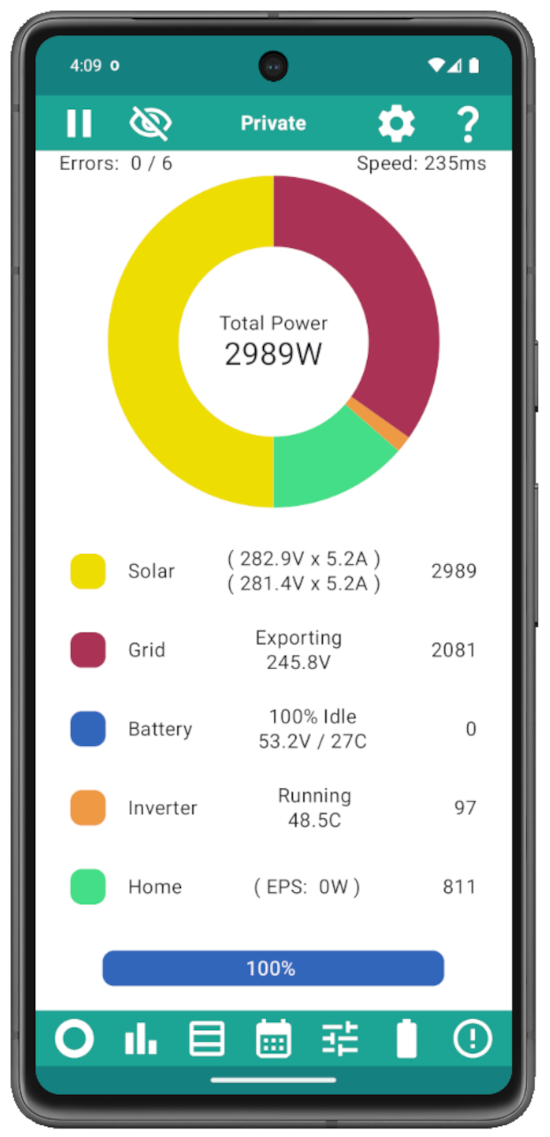
An enormous quantity of android phones and tablets are sitting unused in drawers around the world. A device from 5 years ago should be fine for running this app. Start by asking friends and family if they have an old spare device that they no longer use. It's good to recycle, and it will save you money too.
On the forum, some users have said which devices they use; most android tablets and phones available today should work well.
Consider looking in second hand shops such as your local CEX to see if they have something suitable at a reasonable price. A tablet is better than a phone, you get the benefit of a larger screen, and curiously, despite being bigger, tablets are often cheaper. Auction sites like EBAY have plenty of second hand bargains, as well as new items, but check seller feedback because tablets are easily damaged in the post if not packaged correctly.
If you prefer new, there is a vast range of suppliers, makes, and models. Traditional outlets like Argos sell a limited range of quality tablets, any of which should work fine. Online stores, such as Amazon, have a mindboggling range of android devices. Most are absolutely great quality and value, but read reviews and be aware that some devices have been know to come with pre-installed malware, not matching the specification described, or outright fake.
If you don't (yet) have an Android device, there are a couple of ways to try the app out for free. The obvious one is to find a friend with an android device and ask them to download it and demonstrate it for you. Make sure it is someone you trust as you will need to give them access to your home network (wifi password).
Failing that, you can run Android in a VM [a Virtual Machine] on any decent spec Windows, Mac or Linux computer. There are a number of ways to do this, but if your computer has 16GB of RAM (or more), I would recommend downloading and installing Android Studio.
This is Google's flagship software for programmers to develop Android apps. It is enormous, phenomenally complex, and scary, but don't be put off, you will only be using a tiny fraction of it's capabilities.
Follow a tutorial for setting up the software and writing your first app. When you reach the stage to create an emulator remember to choose an image with the Play Store included.
Your first app is unlikely to take the world by storm, it probably just displays a message saying Hello. Close your app and open the Play Store app. Enter your Google account credentials (if you have one) or create a new Google account. Search the Play Store for "GivEnergy" and look for the logo of this app. Install the app, and getting it to run should be fairly self explanatory, but help is at hand if you need it.